Digital Mixer Scene Recall: Save, Recall and Verify a Show Setup
By Anthony Wu · ELEGAUDIO · Published 24 November 2026
Direct answer: A digital mixer scene stores a documented set of settings so an operator can recall a starting configuration. Before relying on it, identify the exact unit and firmware, confirm what the scene includes and excludes, save a clearly named version, and test the recall with controlled outputs. A stored scene is not automatically a complete backup, and recalling it does not prove that every destination is ready for a show.
1. The goal: a setup another operator can reproduce
This guide helps distributors, rental teams and AV integrators evaluate scene operation and hand over a repeatable configuration. The deliverable is a verified starting scene plus a record of its scope, exclusions, required connections and recovery method. It is a practical evaluation workflow, not a claim that every digital mixer stores the same parameters.
Keep three ideas separate: the current working state, a stored scene, and a complete backup or show file. A setting can be present on screen without having been stored. A saved scene may restore only part of the setup. External equipment and physical connections still need their own checks.
Manufacturer documentation demonstrates why the distinction matters. Yamaha's DM3 SCENE screen reference describes stored configurations and settings excluded by recall safe. Allen & Heath's SQ saving and recalling guide distinguishes scenes, show files and settings retained only in the console. These are examples for those manufacturers' products, not feature documentation for an ELEGAUDIO model.
2. Six steps to save and verify digital mixer scenes
Identify the unit, version and task. Record the model, hardware identity, firmware and manual revision. Describe the actual sources, independent mixes, recording feed and operator task. Decide whether the scene is a rehearsal starting point, a repeated venue setup or a transition during a performance. Those jobs need different acceptance checks.
Define the recall scope before storing. Use the exact manual to list which settings can be stored and which will be recalled. Inspect any documented filters, safes, protected channels or user permissions. Give particular attention to input settings, routing, channel processing, mutes, buses and output levels. Network, clock, user settings and external devices may be handled separately; do not assume that a scene includes them.
Store a named starting configuration. Follow the actual console's documented store/save procedure. Confirm the selected slot and whether the operation creates or overwrites a scene. Use a name that identifies the job and revision, such as VenueA_BandA_Start_v03. Keep a separate note of the date, intended unit and changes. A selected scene name does not establish that current edits were saved.
Demonstrate recall with controlled outputs. During an agreed test period, protect the live system and control the receiving equipment before recalling anything. Change a harmless, documented setting, recall the stored scene and compare the result with the record. Test settings expected to change and settings deliberately excluded. Do not first discover mute, output or transition behaviour in front of an audience.
Verify destinations and dependencies. Confirm the intended source arrives at each required destination: main system, independent monitors, recorder or stream. Check the displayed control identity and actual routing. If physical faders move, verify the associated parameter rather than treating movement as proof that the complete audio path is correct. Recheck any external receiver, network or interface settings that the scene does not control.
Package the handover and recovery method. Retain the accepted scene name, unit/version, routing sheet, exclusions and results. Where the model supports a documented export or backup, verify that procedure separately and label the file. Confirm compatibility before loading it into another unit or firmware version. Keep the last accepted version available and explain how the operator returns to it without overwriting it.
3. Critical checks and a copyable handover record
Workflow diagram: Identify → define scope → store → recall → verify outputs → hand over. The diagram is an operating checklist, not a screen capture or measured product test.
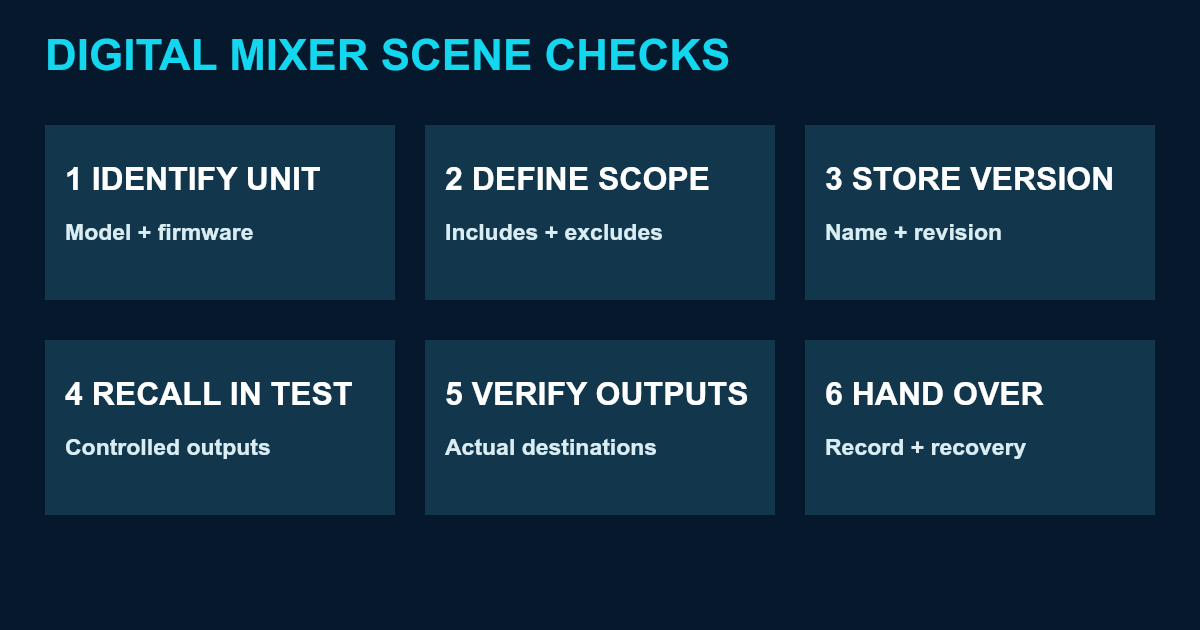
Check both what should change and what should remain unchanged.
| Item | What to establish | Evidence to retain |
|---|---|---|
| Current working state | Which edits are active now and whether they have been stored. | Current settings and the accepted revision note. |
| Stored scene | Its documented recall scope and exclusions on this exact unit. | Name/slot, expected changes and excluded settings. |
| Show file or backup | Whether it includes more than a scene and how it is restored. | Export type, filename, source unit/version and restore procedure. |
| External dependencies | Connections and equipment the mixer file cannot configure. | Patch sheet, receiver/interface settings and responsible operator. |
If an expected setting does not return, first verify the selected scene, saved revision and recall exclusions. If the scene cannot be shown to meet the task, record an open issue rather than silently treating it as accepted. Resolve it with the current model documentation and demonstrator.
| Handover field | Fill in before acceptance |
|---|---|
| Identity | Unit/model: ____ · firmware: ____ · manual revision: ____ |
| Scene and purpose | Name/slot: ____ · revision/date: ____ · starting setup or transition: ____ |
| Recall scope | Expected changes: ____ · excluded/unchanged settings: ____ |
| Destinations | Main: ____ · monitors: ____ · recording/stream: ____ |
| Test result | Conditions: ____ · observed result: ____ · unresolved item/owner: ____ |
| Recovery | Accepted file/location: ____ · compatible unit/version: ____ · recovery steps: ____ |
Product reference: DGNOG MX3210 digital mixer
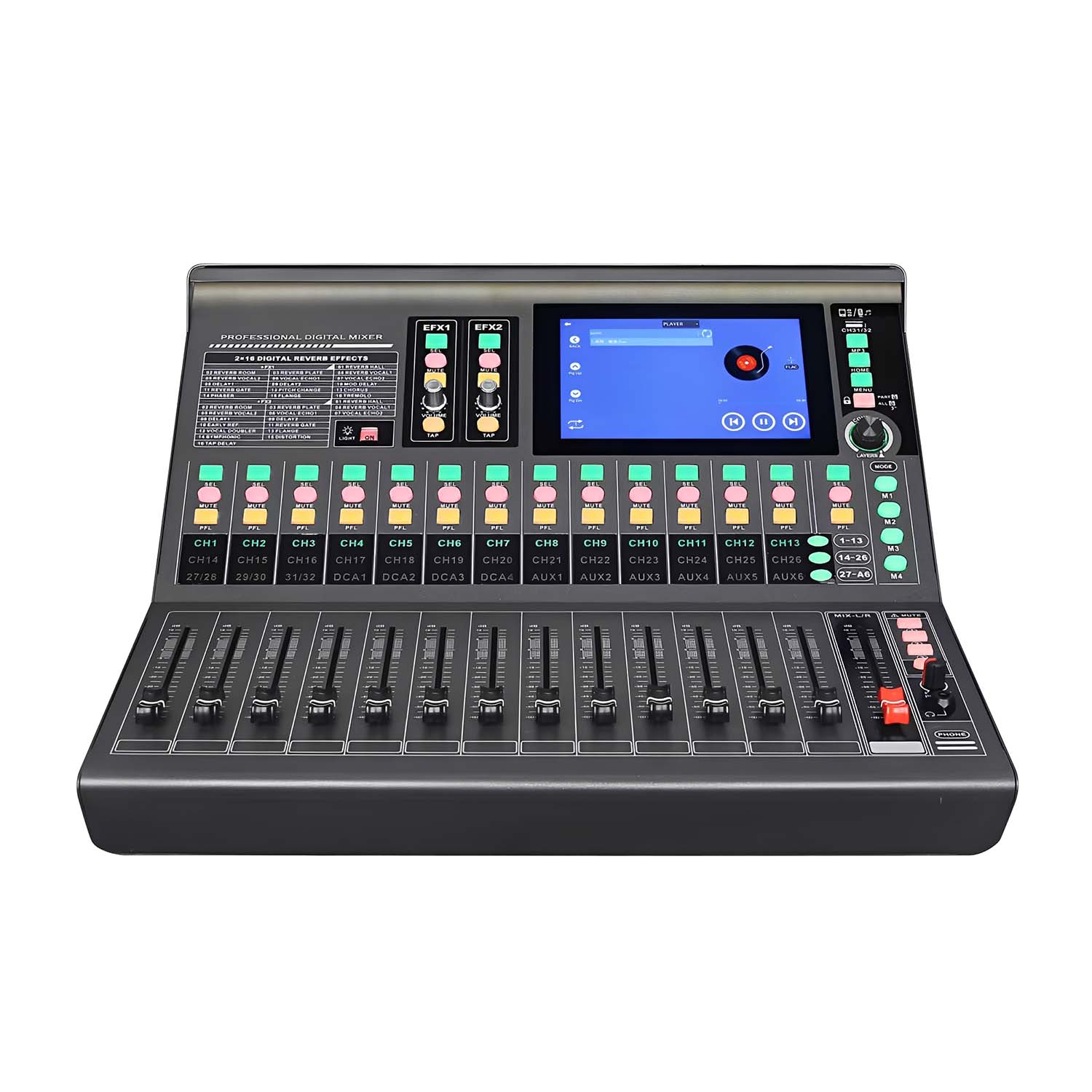
Use this MX3210 product reference to identify a proposed sample. Ask the demonstrator to show the actual save/recall procedure, included parameters and recovery method. The photograph does not prove a particular recall-safe, export or cross-version compatibility feature.
ELEGAUDIO can coordinate product selection, sample evaluation, agreed engineering checks and handover documentation. For a sourcing project, send the operating task before asking which model to order. Keep the scene record with the sample-to-shipment acceptance checklist. Define destinations using the AUX, bus and DCA guide, and check source levels with the digital mixer gain-staging workflow.
4. Frequently asked questions
Does saving a scene save every console setting?
Do not assume so. The stored and recalled scope depends on the exact model, version and exclusions. Consult the manual and verify the required settings on the actual sample. Keep network and external-equipment requirements in a separate handover checklist where necessary.
Why did a setting stay unchanged after recall?
Confirm that the intended scene was selected and the relevant revision was stored. Then inspect any documented recall filters, safes, permissions and settings outside the scene's scope. Unchanged behaviour can be intentional; it is not automatically a fault.
Is a scene the same as a complete show backup?
Only the manufacturer's file definitions can establish that. A show or backup may contain additional system information and multiple scenes. Verify the export and restore procedure separately instead of relying on a filename or a scene count.
Do motorized faders prove the scene was recalled correctly?
No. Movement shows a visible control response. Verify the parameter identity, exclusions, routing and intended destinations. A correctly positioned control does not establish that an external device or physical connection is correct.
Can I load a scene into another mixer or firmware version?
Confirm documented compatibility first. A similar model name or connector layout is insufficient. Retain the source unit/version and preserve the last accepted configuration before testing a supported transfer.
What should a rental team hand to the next operator?
Provide the named scene revision, exact unit/version, patch and destination sheet, recall exclusions, accepted results and documented recovery steps. Identify remaining open issues and the person responsible for resolving them.
Prepare a digital mixer scene demonstration. Contact Yara at ELEGAUDIO: WhatsApp +86 136 3129 1403 · yara@elegaudio.com. Share your application, source list, independent mixes, recording task and handover requirements.